
If your business serves customers across multiple cities or neighborhoods without a physical storefront in each one, hyperlocal service pages are one of the most effective ways to show up in local search. They let you target specific geographic areas with content built around what people in that area are actually searching for.
This guide focuses specifically on building hyperlocal service pages for service-area businesses (SABs), companies like plumbers, roofers, landscapers, or cleaning services that cover a territory rather than operating out of a single brick-and-mortar location. If you're working from a physical storefront instead and want general local landing page guidance, see our guide to local landing pages for SEO.
How Hyperlocal Service Pages Differ From Local Landing Pages
A local landing page is usually built around a single physical location: an address, a storefront, a specific Google Business Profile. A hyperlocal service page is built around a service area you cover, even if you don't have a physical location there.
That changes what needs to go on the page. Instead of directions and store hours, you need clear coverage boundaries, service-specific detail for that area, and content that proves you actually know the area rather than just listing a city name in a template.
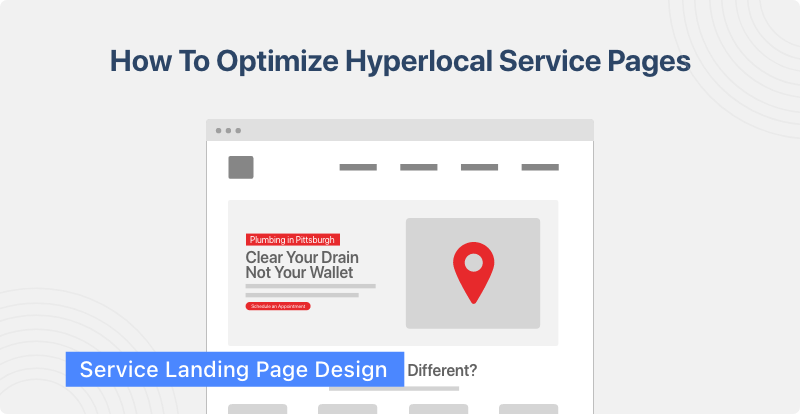
Building Your Hyperlocal Service Pages: A Step-By-Step Framework
Step 1: Define your service areas
List every city, neighborhood, or region you actually serve, not every place you'd theoretically like to rank in. A page for a city you barely operate in will be thin and can potentially hurt performance for the pages that matter more. Prioritize areas by search volume and by where you have real capacity to take on work.
Step 2: Build your URL and site structure
Use a consistent, predictable URL pattern, something like /service/city, so both users and search engines can understand your coverage at a glance. Keep all your service-area pages under a shared structure rather than scattering them across the site.
Step 3: Write unique content for each page
This is where most SABs fall short. Copying one template and swapping in a city name creates duplicate or near-duplicate content across pages, which works against you in the long run. Each page needs its own local detail: common issues in that area, references to local landmarks or neighborhoods, and specifics about how you serve that territory.
Step 4: Add the on-page SEO fundamentals
Use H2 and H3 headings that combine your service with the location, for example "Roof Repair in [city]." Write a unique meta title and description for each page. Include a clear call to action. Keep the page mobile-friendly, since most local searches happen on a phone.
Step 5: Reinforce coverage and trust signals
State your service area explicitly on the page, including specific neighborhoods or zip codes if relevant. Add testimonials or case studies from customers in that area if you have them. Keep your name, address, and phone number consistent with your Google Business Profile and other directories.
Step 6: Link the page into your site properly
Internally link each service-area page to your main service pages and any relevant blog content. If you have a Google Business Profile for that service area, link to the corresponding page from there too.
Step 7: Track performance and expand deliberately
Start with your highest-priority areas rather than building dozens of pages at once. Once you can see which areas are performing, use that data to decide where to add more pages. A smaller set of strong, unique pages will outperform a large set of thin ones.
Hyperlocal service-area landing page outline example
For a roofing company targeting Seattle, a page might look like this:
H1: Roof Repair in Seattle, WA
Intro paragraph naming the neighborhoods or areas covered, with a mention of a common local issue, like hail damage after Texas storms.
Service section: leak repair, storm damage, inspections, specific to what Seattle customers ask for most.
Coverage section: a plain statement of the zip codes or neighborhoods served.
Testimonial from a Seattle customer, if available.
CTA: request a quote or call, with a phone number and simple form.
FAQs: Targeted FAQ section with questions specific to the service area. (e.g., "how often should I repair my roof in Seattle?")
How To Optimize Service Area Pages For AI Search
State your service and area directly in the first sentence after the H1, for example "We provide emergency roof repair throughout Seattle, WA, including Ballard, Capitol Hill, and Fremont." AI Overviews and chat-based tools tend to pull the first clear, complete answer on a page, so don't bury it under a long intro.
Add areaServed and Service schema markup to each page individually, not just LocalBusiness schema on your homepage. This gives AI crawlers a structured signal of exactly which service you offer in exactly which location.
Name specific neighborhoods, zip codes, or landmarks instead of just the city. "Roof repair in Seattle" is one signal. "Roof repair serving Ballard, Capitol Hill, and Fremont" gives AI tools more precise entities to match against a specific query.
Write your FAQ section in direct question-and-answer format. A question like "Do you offer emergency roof repair in Seattle?" followed by a one-sentence answer is more likely to get pulled into an AI-generated response than the same information buried in a paragraph.
Keep each page's answer to the core question self-contained. If someone asks an AI tool whether you serve a specific neighborhood, the page that states it directly will get cited over one that requires clicking through to find out.
FAQs on Hyperlocal Landing Pages for SABs
How many hyperlocal service pages do you need?
There's no fixed number. Focus on quality over volume. A handful of well-built pages for your highest-priority areas will do more for your rankings than a large batch of pages that are nearly identical to each other. Expand into new areas as you have the content and capacity to do it properly.
What's the difference between a hyperlocal service page and a local landing page?
A local landing page centers on a physical location. A hyperlocal service page centers on a service area, which is built for businesses that cover a territory without a storefront in every city they serve.
Can I use the same template for every city page?
You can use the same general structure, but the content on each page needs to be genuinely different. Reused city names on identical copy tend to underperform.
Do I need a physical address for each service area?
No. Service-area businesses can rank without a storefront in every city, as long as the page clearly defines the coverage area and Google Business Profile settings reflect that.