Today's local SEO campaigns need to be as diverse as local search users. That's because depending on an individual's query and location, Google search results may vary — even more so over time.
Local Falcon's Campaign Report offers a holistic view of local SEO performance, with automation options that make gathering and sharing insights easy. Combining the functionality of the Keyword Report, Location Report, and Trend Report, this is rank-tracking taken to the highest altitude.
Command and conquer local search with Campaigns
With just a little effort upfront, you can put our powerful local rank-tracking tool on autopilot.
- Name your campaign.
- Select the location(s) you want to analyze.
- Input the relevant keyword(s) you want to rank for, or choose from suggestions based on your Google Business Profile insights.
- Set a grid size and scan radius for tracking.
- Schedule scans for an interval of your choosing.
- Set up automated notification emails to stakeholders.
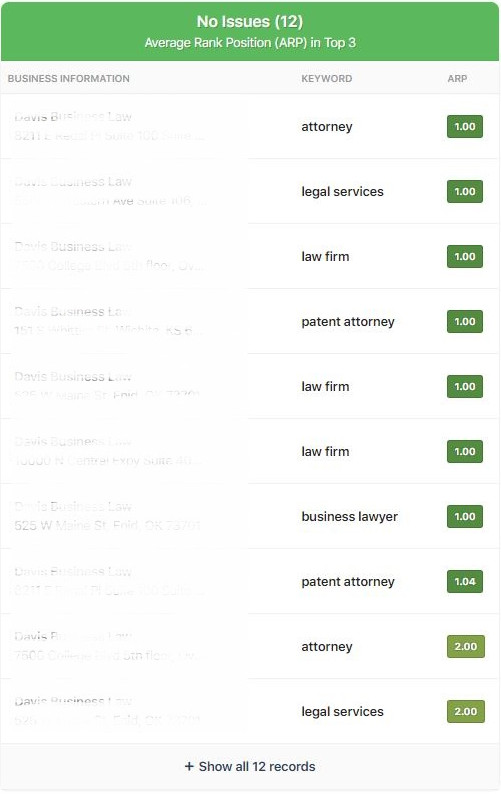
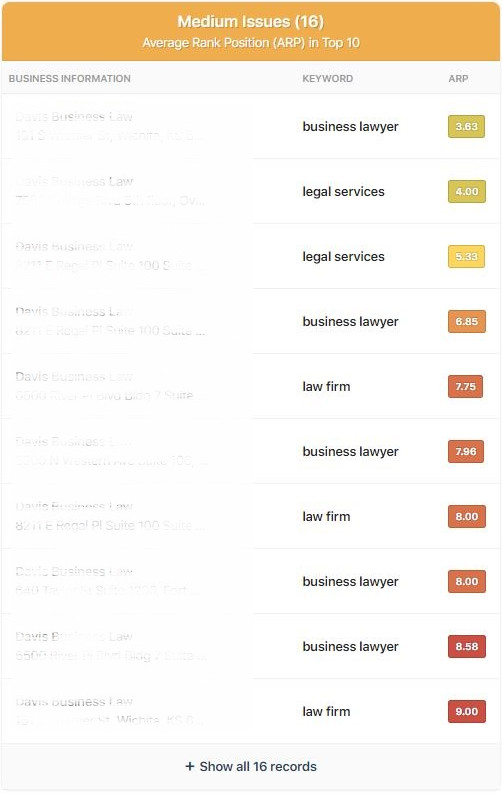
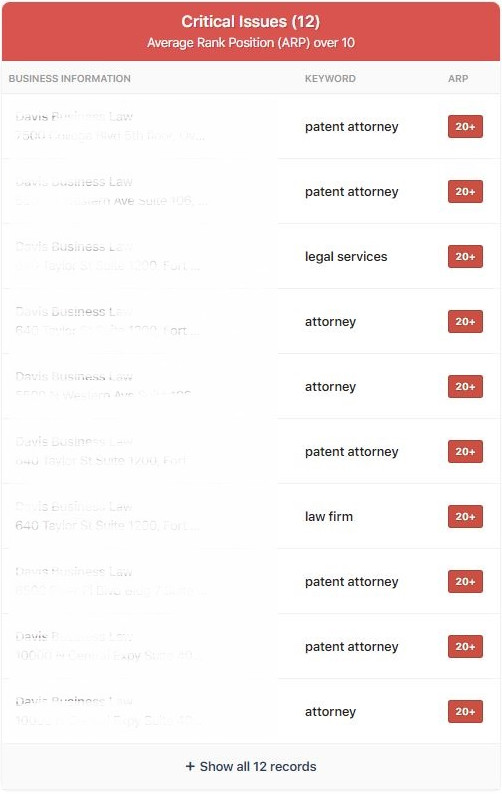
Data is reported as consolidated averages of Average Ranked Position, Average Total Ranked Position, and Share of Local Voice over the length of the campaign for all tracked keywords and locations, with detailed breakdowns.
Maximizing the Campaign Report
- SEO Professionals and Analytics Teams: The Campaign Report is an excellent tool for weeding out ineffective keywords, allowing you to pivot organic and CPC content strategies.
- Agencies and in-house marketing teams: Benefit from the Campaign Report's white labeling feature, offering their clients robust insights with branded authority. Scheduled scanning and automated notifications mean you'll never forget a reporting deadline.
- B2B companies, B2C companies, and Enterprise Brands and Organizations: Scans can be centered anywhere on the map, allowing you to conduct valuable research on where their products or services are most requested.
Whether you're looking to increase leads from local SEO, or surveying the lay of the local search landscape, the Campaign Report is the ultimate way to maximize your Local Falcon subscription.
Try It Out
<< Back to Report Types Overview
How should I group multiple business locations together for Campaigns?
Campaigns work best when you group together businesses that are in areas with similar population densities, such as businesses in rural areas and businesses in urban centers. You can also create Location Groups, and add those groups to a Campaign Scan.
Can I edit a Campaign after I create it?
Yes! You can edit the business locations and keywords, Campaign Scan schedule, and Campaign Report notification email, as well as toggle the Campaign on and off, at any time after you create a Campaign in Local Falcon. Grid Size and Scan Radius settings can be edited up until the first scan runs.
What should I do if I'm not sure what scan settings to use for a Campaign Scan?
We recommend running individual "baseline" scans for the business locations you want to run Campaign Scans for in order to get an idea of what settings to use. This will also help you determine which business locations make the most sense to group together in Campaigns.
Do I have to send Campaign Report notification emails after Campaign Scans?
No. You can choose not to send Campaign Report notification emails while creating a new Campaign Scan, or turn them off for existing Campaigns at any time.
Can I filter individual Campaign Reports?
Yes, you can filter the data within individual Campaign Reports using Location Groups and subgroups to see only the data for certain business locations within that Campaign. You can then easily share these filtered reports with stakeholders by clicking the "Share" button.
Can I disable grid points in Campaign Scans?
Yes, Campaign Scan geo-grids are fully customizable for each location included in the scan. Simply click on any grid point (map pin) you want to disable when setting up or editing Campaigns.
What is the AI analysis section in Campaign Reports?
Falcon AI automatically generates Campaign Report analysis when you run a Campaign Scan, providing a high-level overview and actionable insights to improve performance for your local SEO Campaigns. The AI looks at aggregated data from all the Scan Reports generated for individual locations within a Campaign, identifying strengths, weaknesses, opportunities, and competitor insights across multiple locations.
What kind of insights does Falcon AI provide for Campaigns?
Falcon AI identifies top-performing and underperforming locations, highlights successes and challenges, analyzes competitor rankings and keyword strategies, and offers strategic suggestions to improve local SEO efforts. It also categorizes specific issues by priority, making it easier to focus on the most impactful optimizations first.
How do I access Falcon AI analysis for my Campaigns?
Simply run a Campaign Scan in your Local Falcon dashboard (Falcon AI is automatically enabled, with the option to disable it). Once completed, Falcon AI's analysis will be instantly available within the Campaign Report, ready to help guide your local SEO strategy with actionable insights.
Is Falcon AI available in Campaign Reports?
Yes, Falcon AI is enabled by default for new Campaign Scans and will automatically generate a high-level analysis of performance for all locations and competitors found in your Campaign Report.
Can I discuss Campaign Reports with Falcon Agent?
Absolutely! Campaign Reports are fully connected to your Falcon Agent, allowing you to discuss specific reports and generate even more AI-powered insights and strategic recommendations to boost your Campaign's performance.
Can I customize the geo-grid for locations in Campaigns?
Yes, you can disable grid points for any location included in a Campaign Scan to customize the shape of its geo-grid, optimizing credit usage and data visualization. You can also choose a different scan radius or grid size for any location in your Campaign.
Can I set a different radius or grid size for a location in a Campaign Scan?
Yes, you can modify the grid size and radius for each location.
Do Campaigns use the same keywords for every location?
By default yes, but you can opt to associate specific keywords with specific locations if you don't want to scan all keywords for all locations.
Can I rerun a Campaign for some but not all locations or location groups?
Yes, you can.
You'll want to edit the Campaign settings to remove any locations which you don't want scanned on the next run.
After the next run you can add the locations back into the Campaign if you wish.
All share URLs/reports will stay working and accurate.
If this is going to happen frequently, we recommend you create multiple Campaigns to save time.
Can I track AI visibility in Campaign Scans?
Yes. Local Falcon Campaigns support AI search visibility tracking, so you can measure how your business appears across AI platforms as part of your ongoing local SEO campaigns.
How does AI visibility tracking work in Campaigns?
When you create or edit a Local Falcon Campaign, you can select AI search platforms as visibility data sources. Campaigns will automatically schedule and run recurring scans for all selected platforms, collecting AI visibility data using the same Campaign Scan settings.
Can I pause or resume multiple Campaigns at once?
Yes. Simply go to your Campaigns and check the box next to any Campaign Scans you want to pause or resume, then hit the Pause/Resume button at the bottom of the page.