Marketers today juggle more tools than ever — CRMs, project management software, design platforms, communication apps, analytics dashboards, and more. Switching between them constantly breaks focus and slows everything down. Claude Connectors solve that problem by bringing your most important tools directly into your AI conversations. Here's a look at some of the best Claude Connectors for marketers.
What Are Claude Connectors?
Claude Connectors are direct integrations with third-party platforms that give Claude native access to the tools, data, and apps you already use every day. Instead of copying and pasting content between tabs or manually explaining your project context to Claude over and over, Connectors let Claude actually see and interact with your real data — in real time.
Under the hood, Connectors are powered by the Model Context Protocol (MCP), an open standard developed by Anthropic that creates a secure bridge between Claude and external tools. These aren't shallow, read-only integrations either. Depending on the Connector, Claude can search, analyze, create, and take actions within your connected apps, all from a single conversation.
Why Should Marketers Use Claude Connectors?
The biggest benefit of using some of the best Claude Connectors for marketers is the elimination of context switching.
Think about a workflow like: pull a client's latest campaign data, draft a performance summary email, and schedule a follow-up meeting. Across separate apps, that's three different tools and multiple handoffs. With the right Connectors active in Claude, it can be a single conversation. No more toggling between a dozen browser tabs. No more re-explaining your situation every time you open a new tool. Claude becomes the central hub where your work actually happens.
Connectors are available in Claude's Connectors Directory and can be activated in just a few clicks — no developer experience required for most integrations.
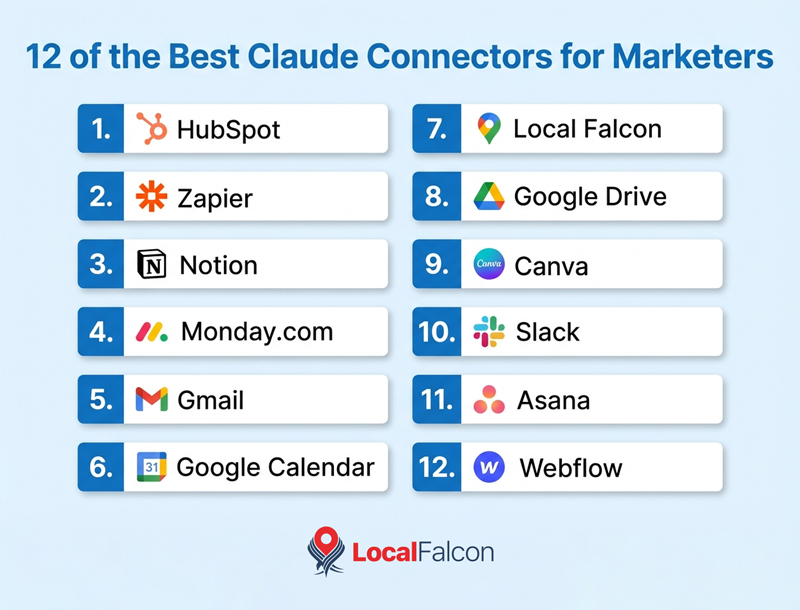
What Are the Best Claude Connectors for Marketers?
1. HubSpot
Best for: Marketing and sales teams managing CRM data and lead pipelines
The HubSpot Connector gives Claude direct access to your CRM, including contact records, deal histories, lead engagement data, and pipeline status. Marketers can ask Claude to summarize a prospect's history, identify stalled deals, pull segment lists, or draft personalized outreach — all without leaving the conversation. It's a significant time-saver for teams that live in HubSpot but spend too much time manually digging through records.
2. Zapier
Best for: Marketers who want to automate workflows across their entire tech stack
Zapier is the automation glue of the marketing world, and its Claude Connector effectively turns Claude into an automation command center. With Zapier connected and the right Zaps configured, Claude can trigger multi-step workflows across thousands of apps — pushing data, sending notifications, updating records, and more — simply by being asked. If you want to orchestrate your marketing tools through natural language rather than manually building automations one by one, this Connector is a game-changer.
3. Notion
Best for: Content marketing teams using Notion as a hub for planning, research, and documentation
The Notion Connector lets Claude read, search, and interact with your Notion workspace. Whether you're working from a content calendar, pulling from shared brand guidelines, or referencing campaign briefs, Claude can access your Notion pages directly. It's especially useful for content marketers who store research, drafts, and templates in Notion and want Claude to work from that existing context rather than starting from scratch.
4. Monday.com
Best for: Marketing teams managing campaigns, timelines, and project approvals
Monday.com is a go-to project management platform for marketing teams tracking campaign production, deliverables, and sign-offs. With this Connector, Claude can check project statuses, surface upcoming deadlines, and help keep work moving — all within a conversational AI workflow. Rather than jumping into Monday.com every time you need a status update, you can just ask Claude and get a clear picture of where things stand.
5. Gmail
Best for: Anyone who wants Claude to help draft, manage, and summarize email communications
The Gmail Connector is one of the most immediately useful for marketers. Claude can search your inbox, summarize long email threads, draft replies in your voice, and help you stay on top of client communication without copying and pasting anything manually. It's particularly valuable for account managers and agency teams handling high email volume across multiple clients.
6. Google Calendar
Best for: Marketers who want Claude to factor in their schedule when planning and prioritizing work
With Google Calendar connected, Claude gains awareness of your upcoming meetings, deadlines, and availability. You can ask Claude to help plan your week, prep for an upcoming client call, or think through timelines — and Claude will actually know what's already on your plate instead of working in a vacuum. Additionally, you can schedule meetings, RSVP, and manage invites all from within Claude.
7. Local Falcon
Best for: Local SEO professionals, agencies managing multi-location clients, and local businesses tracking their search visibility
Local Falcon is an industry-leading local rank tracker and AI visibility intelligence platform, and its Claude Connector is a standout tool for anyone serious about local search performance.
Local Falcon specializes in geo-grid rank tracking — showing you exactly where a business ranks in Google Search and Maps and how visible it is in AI-driven local search results across a custom geographic area.
With the Local Falcon Connector active in Claude, you can pull rank tracking reports, analyze visibility trends, compare performance across locations, and get AI-powered insights — all in a natural conversation. Instead of logging into a separate dashboard to interpret your data, you can ask Claude questions like "How has our local pack visibility changed in the last 30 days?" or "Which locations are underperforming in AI search?" and get precise answers on the spot.
For local SEO agencies managing multiple clients or enterprise brands with dozens of locations or more, this Connector dramatically speeds up local SEO and local AI visibility reporting and analysis. If local SEO is any part of your marketing responsibilities, the Local Falcon Claude Connector belongs in your toolkit.
8. Google Drive
Best for: Teams who store briefs, reports, and creative assets in Google Drive
The Google Drive Connector lets Claude search and read documents stored in your Drive, so it can pull from real assets rather than relying on what you manually share in the chat. Prompt Claude to check a campaign performance report, a strategy doc, or a creative brief that lives in Drive, and it can use that material as direct context for whatever you're working on next.
9. Canva
Best for: Marketers who create visual content and want AI assistance built into their design workflow
The Canva Connector brings Claude's capabilities closer to your design process. You can use Claude to help conceptualize ideas, draft copy for designs, and streamline the creative brief-to-visual pipeline — with Canva assets accessible directly from the conversation. It's a natural fit for social media managers, content creators, and brand teams who live in Canva.
10. Slack
Best for: Marketing teams that communicate, collaborate, and share updates through Slack
With the Slack Connector, Claude can search message history, summarize conversations, surface key decisions from channels, and even help draft, schedule, and send messages — all without switching browser windows or conversations. For marketing teams that do a lot of coordination and async communication in Slack, this means less time hunting through threads and more time acting on what matters.
11. Asana
Best for: Marketing ops and project managers tracking tasks, campaigns, and deliverables in Asana
The Asana Connector gives Claude visibility into your projects, tasks, and team workload. Ask Claude to pull up the status of a campaign, identify what's overdue, or help prioritize your task list — and it can respond with real data from your Asana workspace. For marketing teams running multiple concurrent projects, this kind of on-demand visibility is invaluable.
12. Webflow
Best for: Marketing teams who manage their website content directly in Webflow
The Webflow Connector lets Claude interact with your Webflow CMS, making it easier to draft, review, and update website content without bouncing between a writing tool and your CMS. For marketers responsible for keeping landing pages, blog content, or product pages fresh, this removes a lot of friction from the publishing workflow.
How To Find the Best Claude Connectors for Your Needs
The Claude Connectors ecosystem is growing steadily, with new integrations becoming available on a regular basis. As a result, this article is not an exhaustive list of the best Claude Connectors for marketers, but rather a starting point based on what's available and most relevant today.
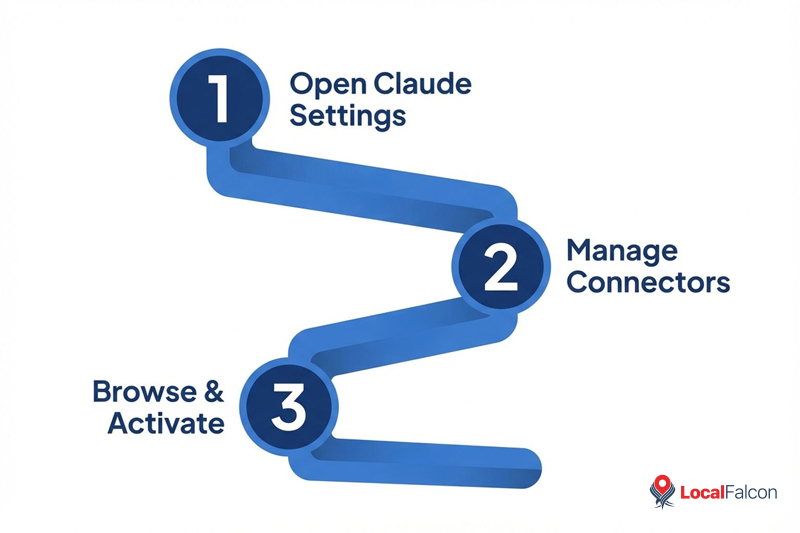
To explore the full library and find Connectors that fit your specific workflow, log into Claude and navigate to Manage Connectors, then select Browse Connectors. From there, you can filter by category to zero in on what's most relevant to your role.
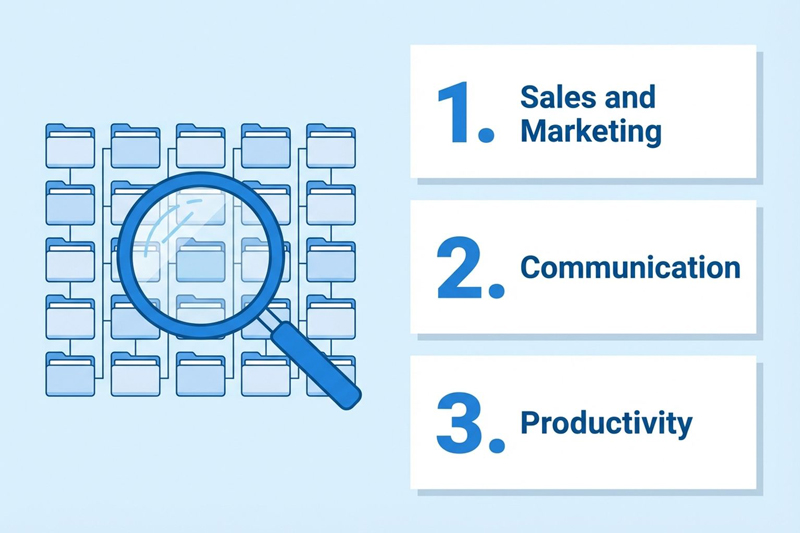
Marketers will want to look at categories like Sales and Marketing, Communication, and Productivity to surface the most useful options. New Connectors are added periodically, so it's worth checking back regularly to see what's been added since your last visit.