
Falcon Agent, Local Falcon's AI agent for local SEO, can apply bulk GBP changes across your locations, saving time and ensuring no location slips through the cracks when updating and optimizing Google Business Profiles.
This is especially useful for enterprise organizations, multi-location businesses, and agencies managing large portfolios of local business clients. Whether you want to change business hours for a holiday or special event, optimize GBP categories and services, add attributes, or update anything else, Falcon Agent can handle it all for you, at scale.
Updating hours across dozens or hundreds of locations, refreshing business descriptions for a rebrand, or adding a new service category to an entire portfolio, one profile at a time, is the kind of work that eats hours and invites mistakes. With Falcon Agent, you give it the instruction once, it applies the change everywhere it needs to go. No manual logins, no copy-pasting, no missed locations.
When Should You Do a Bulk GBP Update?
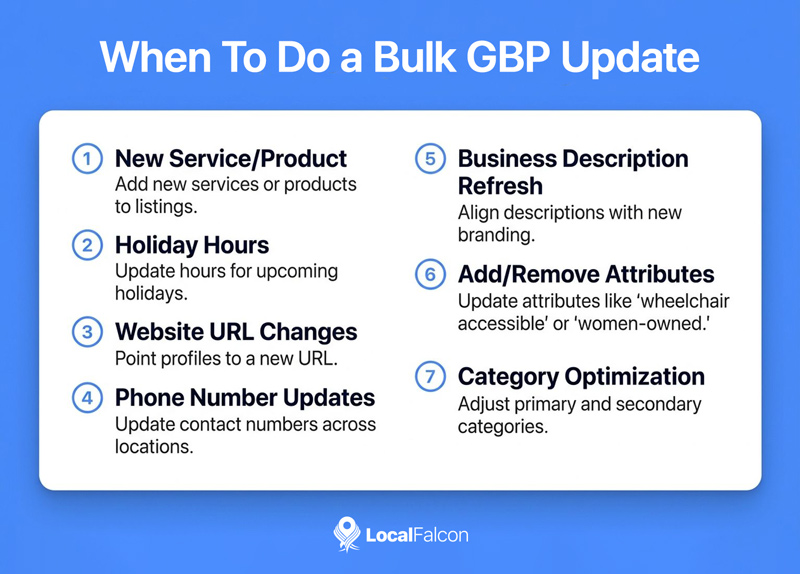
Any time something changes that affects more than one location, a bulk GBP update is worth considering. Some of the most common scenarios are:
- New service or product offering: When a brand adds a new service line, product type, or specialty, the relevant GBP categories, services, and business descriptions across all locations need to reflect that. Doing it manually across a large portfolio is time-consuming and potentially inconsistent.
- Holiday or seasonal hours changes: Special hours for holidays, closures, or extended seasonal periods need to be accurate on every location before the date arrives. A bulk update makes sure nothing gets missed.
- Website URL changes: A domain migration, new landing page structure, or campaign-specific URL swap needs to roll out consistently across locations to avoid sending customers to broken or outdated links.
- Phone number updates: Whether it's a tracking number rollout, a regional number change, or a contact center shift, phone number accuracy on GBP directly affects how customers reach you.
- Business description refresh: Rebrands, updated positioning, or new messaging all warrant a description update. If you have multiple locations, Falcon Agent can handle that across the board with location-specific variations if needed.
- Adding or removing attributes: GBP attributes like "outdoor seating," "wheelchair accessible," or "women-owned" can make a real difference in how your profile appears in filtered searches. Keeping them accurate across all locations is something most businesses let slide simply because of the manual effort involved.
- Category optimization: Adding or updating primary and secondary GBP categories across locations based on local ranking insights is a high-value task that Falcon Agent can apply at scale.
How To Do a Bulk GBP Update With Falcon Agent: Steps
There are two ways you can bulk update your Google Business Profile locations using Falcon Agent: directly via the Falcon Agent chat sidebar, or by creating an automated action in Agent Settings. For most bulk GBP updates, the chat is usually the faster route.
Keep in mind that before you can apply bulk updates to multiple Google Business Profile locations, you will need to ensure they have all been imported from a connected Google account and added to your monitored locations in Falcon Agent's settings.
Option 1: Via the Falcon Agent Chat (Recommended)
Open a chat with Falcon Agent and describe the update you want to make. The more specific your instructions, the better, but the agent will ask follow-up questions to ensure it has all the required information to perform a bulk GBP update.
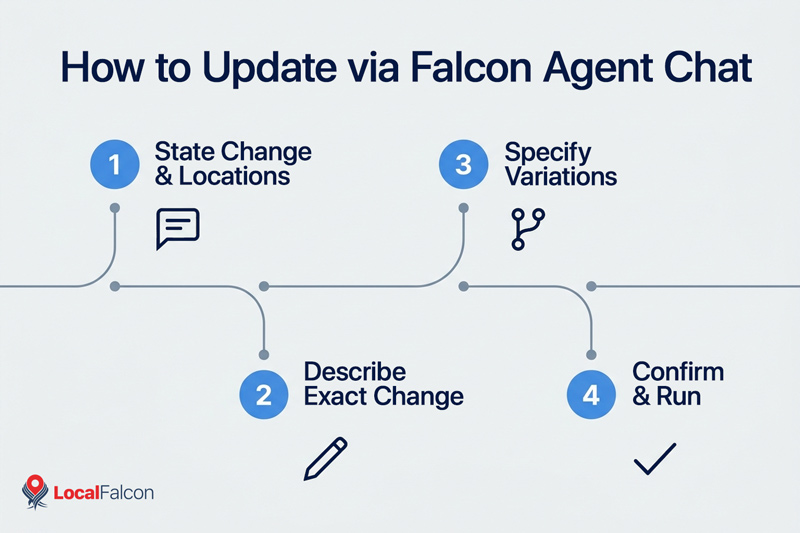
- Tell Falcon Agent what you want to change and which locations to apply it to. You can specify all locations, a subset by name, or filter by region or category if relevant.
- Describe the exact change. For hours, give the specific days and times. For descriptions, provide the exact copy or the key points to include. For categories or services, list exactly what should be added or removed.
- Specify any location-specific variations if certain locations need slightly different treatment.
- Confirm the details when Falcon Agent summarizes the planned update before it runs.
Here's a straightforward prompt example: "Update the business hours for all [City] locations to [new hours] starting [date]. For [Location X], use [different hours] instead."
Or for a broader update: "Add [New Service] to the services list for all locations. Also update each business description to mention [New Service] while keeping the existing description otherwise intact."
Falcon Agent will confirm the update plan with you before applying anything, so you have a chance to catch anything before it goes live. You can also see all the actions Falcon Agent took on your Google Business Profiles in the Activity section of the Agent Settings page.
Option 2: From Agent Settings
If you prefer to configure the update manually through the dashboard rather than via chat:
- Go to Agent Settings from your Local Falcon account.
- Click "+ New Action" in the Automated Actions section.
- Name the action something descriptive so you can reference it later.
- Write your update instructions clearly, including what to change, what to leave alone, and any per-location variations.
- Select which locations to apply it to.
- Save and run.
As with the chat method, the Activity section at the bottom of Agent Settings will log what Falcon Agent has done, so you can review the output after it runs.
Can You Schedule Bulk GBP Updates With Falcon Agent?
Yes. If you have updates that need to happen on a recurring or time-specific basis, you can schedule them rather than running them as one-off actions.
For example, if you run a restaurant or cafe with seasonal outdoor seating, you could set up scheduled actions in Falcon Agent to add the "outdoor seating" attribute across your locations just before the season opens, and another to remove it at the end of the season. Set them once and they run automatically every year.
Other cases where scheduling a bulk GBP update makes sense include:
- Switching to extended hours every year around the same dates
- Adding seasonal service categories (snow removal, tax preparation, summer camps) at the start of the relevant season and removing them after
- Updating business descriptions at the start of each quarter to reflect current promotions or focus areas
To set up a scheduled bulk update, you can use either of the methods above. If using the chat, just tell Falcon Agent when you want the update to happen and how often, and it will handle the timing.
Best Practices for Bulk Updating GBP Listings
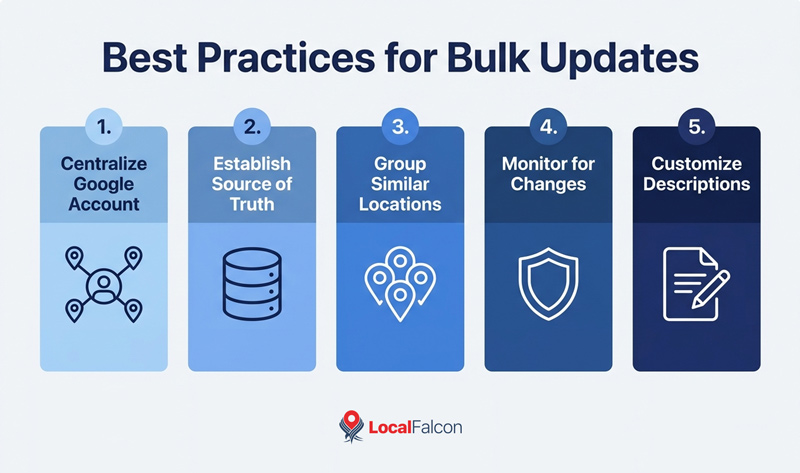
Manage all locations from a single Google account
Connecting all your GBP locations to one master Google account makes it easier to ensure they are all imported to Local Falcon. If your locations are scattered across multiple accounts, you risk missing some.
You can still add location managers and grant regional or franchise operators access to individual profiles as needed, but keeping primary ownership and management authority centralized in one account streamlines management and bulk updates.
Establish a source of truth for every location
Before running any bulk GBP update, there should be a single document or system that holds the current, accurate data for every location, covering hours, phone numbers, website URLs, categories, services, attributes, and business descriptions.
When something changes, that record gets updated first, and the bulk GBP update flows from it. Without this, it's easy for profiles to drift out of sync over time, especially across large portfolios.
Group similar locations together
You can group locations for automations, such as by chain, region, or category, and apply relevant changes across multiple similar profiles at once.
This is particularly useful when certain locations offer different services, operate on different hours, or serve different markets than the rest. Grouping them lets you target bulk updates precisely rather than applying blanket changes that don't fit every location.
Monitor for unauthorized GBP changes and revert them fast
Google allows third parties to suggest edits to your business profiles, and those suggested edits can go live without your approval. For multi-location businesses, it can be virtually impossible to monitor for such unauthorized changes at scale.
Falcon Guard monitors your GBP listings for unwanted changes 24/7. If anything gets altered without your approval, you can use Falcon Agent to revert it quickly across one location or many. The combination of monitoring and automated correction is what keeps your profiles accurate over time rather than requiring constant manual audits.
Don't apply identical descriptions across all locations
A bulk update is an efficient way to refresh GBP descriptions, but pushing the exact same copy to every profile tends to underperform.
Where possible, give Falcon Agent instructions that allow for location-specific variations, mentioning a unique service, a neighborhood detail, or anything that makes that location distinct from the others. You can still apply changes at scale while keeping each profile from reading like it was copy-pasted.
Conclusion
Bulk GBP updates are one of those tasks that are easy to deprioritize because the manual process is so time consuming and tedious. Falcon Agent removes that friction.
Whether you need to push a one-time change across your entire portfolio or a subset of locations, or set up a recurring seasonal update, you can get it done in a single instruction rather than logging in to each profile individually.
For multi-location businesses, enterprise brands, and agencies managing large local SEO portfolios, that kind of efficiency adds up fast.
Bulk Updating Google Business Profiles With Falcon Agent: Frequently Asked Questions
What types of changes can I make with a bulk GBP update through Falcon Agent?
You can update business hours, phone numbers, website URLs, business descriptions, services, categories, and attributes across all your locations or a selected subset. If it can be changed in a Google Business Profile, Falcon Agent can apply it at scale.
Can I apply different updates to different locations in the same bulk GBP update?
Yes. When giving Falcon Agent its instructions, you can specify per-location variations. For example, you can apply the same general update to all locations while giving certain locations different hours, descriptions, or attributes.
How do I know the bulk GBP update was applied correctly?
The Activity section in Agent Settings logs everything Falcon Agent has done, so you can review the output after an update runs. You can also spot-check individual profiles in your Saved Locations.
Can I schedule a bulk GBP update to run automatically in the future?
Yes. Instead of running a one-time update, you can configure Falcon Agent to apply a bulk update on a specific date or on a recurring schedule. This is useful for seasonal changes like updating outdoor seating attributes or switching to holiday hours each year.
What's the difference between running a bulk GBP update through the chat versus Agent Settings?
Both accomplish the same thing. The chat is faster and offers a conversational path to automating GBP updates and changes, while Agent Settings gives you a more structured interface to work from.