
Fake bad reviews on Google don't just come from shady competitors. Increasingly, scammers are targeting local businesses with a new kind of extortion scheme, one that weaponizes Google reviews to pressure owners into paying up.
Waking up to a flood of one-star ratings and messages demanding money to remove them is alarming for any business. But the good news is that you can mitigate the damage quickly if you know what to do.
Below, we break down how Google review scams typically work and the steps your business can take to stay protected.
How Do Google Review Scams Work?
Google review scams generally follow a predictable playbook:
1. The Scammer Floods Your Listing With Fake 1-Star Reviews
The most common first sign of a Google review scam is a sudden influx of bad reviews that just don't make sense.
You can tell that Google reviews are fake if you suddenly see:
- A cluster of new one-star ratings
- Generic or nonsensical comments (for example, reviews of a restaurant that mention non-existent menu items)
- Reviewers with no profile photos, no past reviews, or usernames that look auto-generated
These fake ratings are designed to drop your overall score quickly and create a sense of urgency to pay up.
2. They Reach Out With a Threat
Shortly after the wave of fake reviews, the scammer typically sends one or more of the following:
- An email
- A text message
- A direct message through your website or social channels
The message usually threatens something along the lines of: "We will continue posting bad reviews unless you pay us."
These demands can range from small sums to large payouts, sometimes in hard-to-trace cryptocurrencies or gift cards to help the scammers avoid detection.
3. Pressure Builds as More Reviews Appear
If you ignore the message, scammers sometimes follow through with:
- More fake reviews
- Different accounts leaving similar comments
- Threats of additional damage or harassment
This escalation is meant to push you toward paying, which, critically, you should never do.
Why Are Google Review Scams Increasing?
Several trends have made these scams more common:
- Easy access to mass fake accounts (anyone can create any number of "throwaway" Google accounts)
- Growing reliance on local reviews for search and Maps rankings
- Higher demand for local visibility, meaning more businesses feel pressure to protect ratings
Scammers know even a small drop in your Google rating, from 4.5 to 4.2, for example, can impact customer trust and search visibility. This makes local businesses prime targets for bad Google review scams.
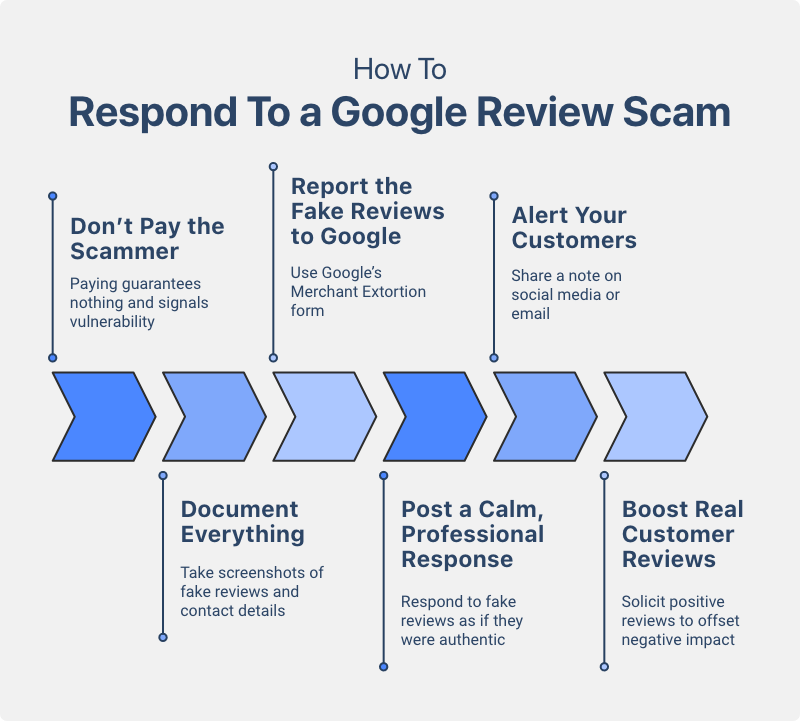
How To Respond If You're Hit With a Google Review Scam
1. Don't Pay the Scammer
Paying guarantees nothing. In fact, it signals you're an easy target for future attacks.
2. Document Everything
Take screenshots of:
- The fake reviews
- Any messages received
- Reviewer profiles, phone numbers, emails, and other contact details
This will be useful for reporting the incident to Google.
3. Report the Fake Reviews to Google
After gathering as much evidence as possible, use Google's Merchant Extortion form to report the fake review scam to Google.
Provide all required information and include as much evidence as possible in your report, including screenshots and the content of the malicious reviews. Google also suggests providing names, usernames, email addresses, phone numbers, or social media profiles associated with the scammers.
Google Business Profile Support does not take Google review scams lightly and will remove malicious reviews and ban the profiles that left them. This should dissuade the scammers from targeting your business again.
4. Post a Calm, Professional Response
While waiting for Google to remove the fake bad reviews from scammers, it's a best practice to respond to them as you would respond to an authentic negative review. This can help mitigate the risk of someone seeing a scammer's review and judging your business off of it.
You can write a standard message like: "We take all feedback seriously, but we have no record of this experience. We've reported this activity to Google as a suspected scam." If there are any fake details you can point out, such as a menu item or service that you don't offer, highlight these in your response as well.
This provides transparency to potential customers who may come across the fake bad reviews when checking out your Business Profile, so they can see for themselves that the reviews are inauthentic and malicious.
5. Alert Your Customers
Share a brief note on social media or via email if the Google review scam attack is severe:
- Reassure customers the reviews are fake
- Let them know you're working with Google to resolve the issue
Authentic supporters may even leave positive reviews to counteract the temporary damage to your star rating.
6. Boost Real Customer Reviews
A surge of legitimate feedback can quickly offset the negative impact of a bad Google review scam while you wait for Google to process your reports, so make an extra push to solicit positive reviews from happy customers during this time.
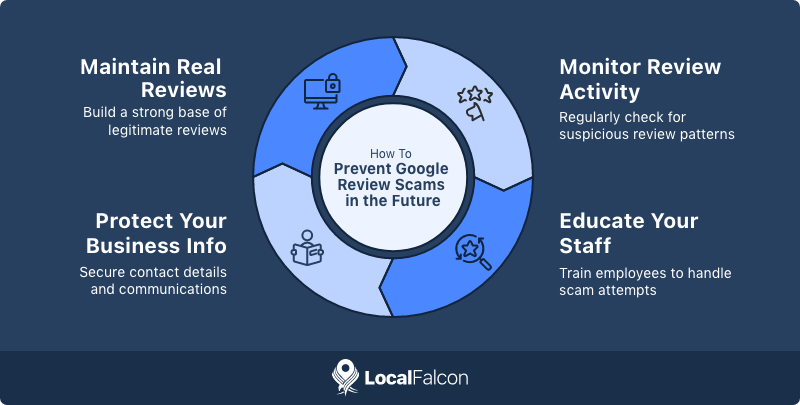
How To Prevent Google Review Scams in the Future
While you can't stop scammers from attempting an attack on your Google Business Profile, you can make your business more resilient:
Maintain a strong base of real, recent reviews
A larger volume and steady stream of legitimate reviews makes spam attacks less damaging.
Monitor review activity regularly
Spotting a fake review surge early helps you react faster to potential scams.
Educate your staff
Ensure anyone handling your business's communications knows not to engage with scammers or respond emotionally.
Protect your online business information
Scammers often scrape emails, phone numbers, and contact forms to get in touch with their targets. Use spam filters and route sensitive communications through controlled channels.
The Bottom Line
Google review scams are certainly on the rise, but you're not powerless against them. By responding quickly, documenting the attack, reporting it to Google, and strengthening your real review profile, you can minimize the harm and avoid rewarding scammers in the process.
Staying vigilant and proactive is the best defense against bad Google review scam attempts targeting your business.
FAQs About Google Review Scams
What are Google Maps review scams?
These scams involve attackers leaving fake negative reviews on a business's Google Business Profile, then contacting the owner and demanding payment to stop or remove them. It's a form of extortion meant to pressure businesses into paying quickly.
Are fake Google reviews always from scammers?
No. Fake reviews can also come from competitors, disgruntled individuals, or black-hat SEO operators trying to damage your rankings or boost their own. These aren't extortion scams, but they still violate Google's policies.
Are there any other types of Google review scams?
Yes. Some scammers offer paid "positive reviews," then demand more money or threaten negative reviews if you don't continue paying. Others pose as "reputation repair" services claiming they can remove bad Google reviews for a fee, even though they have no special access or ability to do so.
How can I tell if a review is part of a potential Google review scam attack?
Look for patterns such as a sudden spike in one-star reviews, vague or irrelevant comments, repeated wording, or profiles with no other review history. Multiple suspicious reviews appearing at once is a strong sign of coordinated activity.
How can I report a negative Google review extortion scam?
If you receive threats or payment demands related to fake Google reviews, report the incident to Google immediately using their Merchant Extortion form. Include as much evidence as possible in your report to make it easy for Google to verify the malicious nature of the reviews.
