It's now possible to claim a business in ChatGPT. As of launch, OpenAI is calling the feature, wait for it, "Businesses in ChatGPT."
According to the Businesses in ChatGPT beta launch announcement, "businesses can claim their business, manage their information, and see insights on how people engage with them on ChatGPT."
For anyone still not sure if ChatGPT is a local search platform, this should finally prove that it is.
The process for claiming a business in ChatGPT appears, at least at first glance, to be a lot like claiming a Google Business Profile, Apple Business listing, or any other local listing.
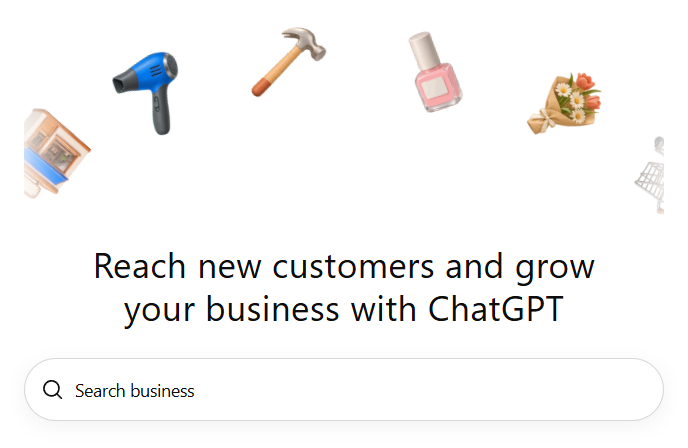
Claiming your business in ChatGPT is done through Business Hub, where you can search for or add a business and follow the on-screen prompts to claim and verify it.
Once you've claimed and verified your business in ChatGPT, you can update key business information, including the usual suspects like name, address, phone number, website, and hours. Retailers can also add product feeds with up-to-date pricing and availability.
According to OpenAI, "This gives businesses a new way to provide information to ChatGPT, helping people explore products and services using the most accurate and up-to-date details." and "ChatGPT may use this information to answer customer questions."
Who Should Claim a Business in ChatGPT?
Businesses that rely on customers discovering their products or services online should consider claiming their profiles in ChatGPT, particularly now that the platform is introducing more ways for people to discover, research, and interact with businesses.
The Businesses in ChatGPT feature is set up to accommodate local businesses, ecommerce companies, and other digital service providers, like SaaS companies or any other type of business that serves people primarily through a website. We counted nearly 850 ChatGPT business categories to choose from, quite literally from "AI company" to "zoo."
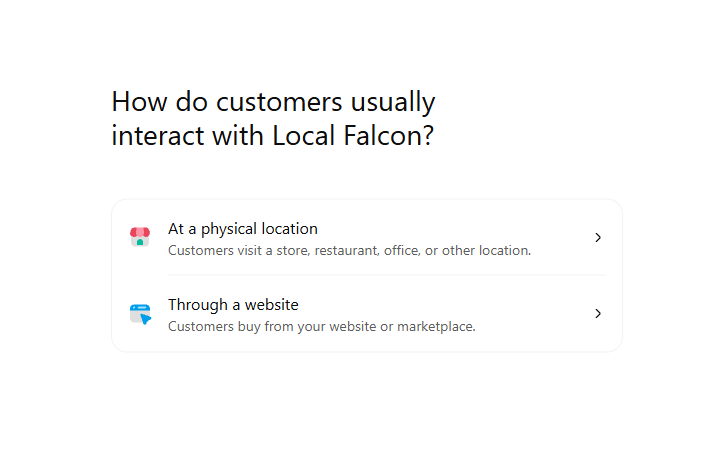
When adding a business to ChatGPT, Business Hub asks whether customers typically interact with the business at a physical location or through its website. This suggests that OpenAI is interested in supporting businesses with different operating models, rather than limiting the feature to online retailers.
However, for local businesses, including restaurants and brick-and-mortar retailers, claiming an existing business listing seems currently to be the only option. During our test a couple days after launch, trying to add a local business to ChatGPT prompted us to sign up for a waitlist.
OpenAI's current documentation on setting up your business on ChatGPT indicates that local stores and restaurants can claim existing U.S. listings, while the ability to add a new business is currently directed toward eligible online businesses. Availability also depends on business type, location, and OpenAI's verification requirements.
Ecommerce businesses have some additional opportunities. In addition to updating their business information, eligible retailers can connect product feeds containing current product details, pricing, and availability. This gives ChatGPT more information to draw from when answering questions about products and helping shoppers compare their options.
Alongside Business Hub, OpenAI is introducing Business Agents, which allow eligible businesses to create AI-powered customer service representatives that answer customer questions using the company's product information, policies, and guidelines.
The launch of Business Agents alongside Businesses in ChatGPT ties into a broader push toward agentic commerce. These agents are initially available to eligible ecommerce and online service businesses in the United States and can integrate directly with Shopify stores.
Why Claim Your Business in ChatGPT?
There are two particularly good reasons to claim your business in ChatGPT if you're eligible:
- More control over your business information: You can provide ChatGPT with accurate, up-to-date information about your business, including contact details, operating hours, services, and products. This gives the platform another source of truth to reference when answering questions about your business.
- Access to ChatGPT business insights: Business Hub provides aggregated information about how people discover and engage with your business on ChatGPT. This includes metrics such as business mentions and website clicks, as well as insights into common topics associated with conversations where your website is cited.
That second point is particularly interesting for local SEO professionals and businesses investing in AI visibility.
While a tool like Local Falcon can tell you how often a business appears in ChatGPT responses, understanding how users interact with the business after it appears, e.g., how many of them click through to your website, has been more difficult. Business Hub provides a new way to measure some of that activity directly within ChatGPT.
Note that, according to ChatGPTs documentation around these insights, a mention only counts when ChatGPT cites your business's website, not if it just mentions the brand. You'll still need an AI visibility tracker like Local Falcon to track your overall brand mentions and Share of AI Voice.
Of course, claiming a business in ChatGPT doesn't guarantee that the AI platform will recommend it more frequently or generate additional sales. OpenAI explicitly states that claiming a profile does not guarantee higher placement or sales.
That being said, having accurate business information available directly to ChatGPT and being able to monitor how people find and engage with your business on the platform are worthwhile benefits on their own.
How To Claim Your Business in ChatGPT: Steps
Claiming a business in ChatGPT is relatively straightforward. As we mentioned earlier, the process takes place through Business Hub, and you'll need to verify that you're authorized to represent the business before you can manage its information.
1. Open ChatGPT's Business Hub
Sign in to your ChatGPT account and open Business Hub from the sidebar. This is where you can search for existing business listings, submit a claim request, and manage your business once it's verified.
2. Search for your business
Enter your business name in the search field to see whether ChatGPT already has a listing for it.
If your business appears, select the matching listing to begin the claiming process.
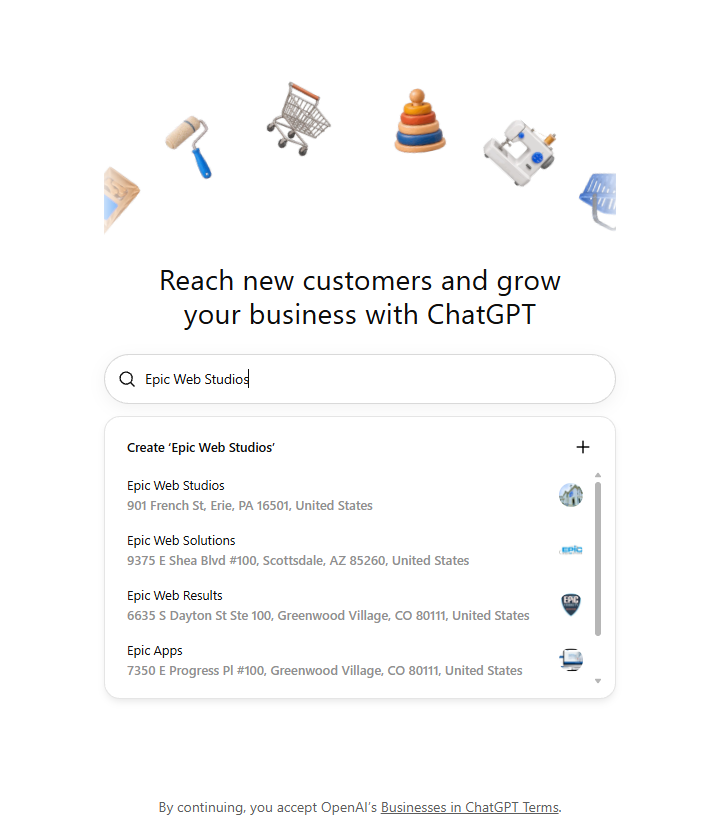
If it doesn't appear, you can add a new business to ChatGPT by selecting the plus (+) button. Keep in mind that the ability to create a new listing depends on your business type and eligibility.
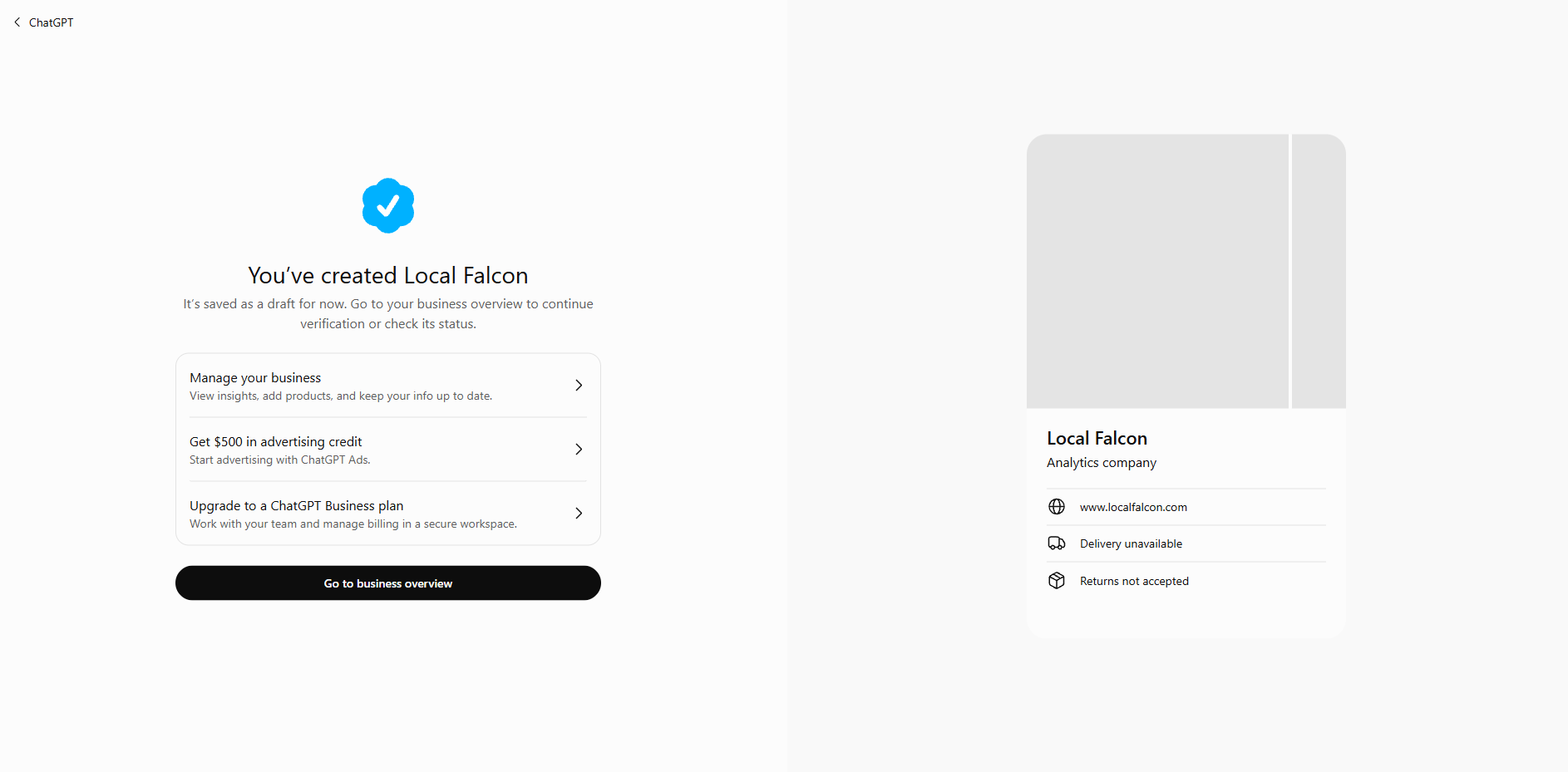
3. Select Get Started and choose a verification method
Once you've selected your business, click the Get Started button and follow the on-screen instructions to complete the first phase of ChatGPT business verification.
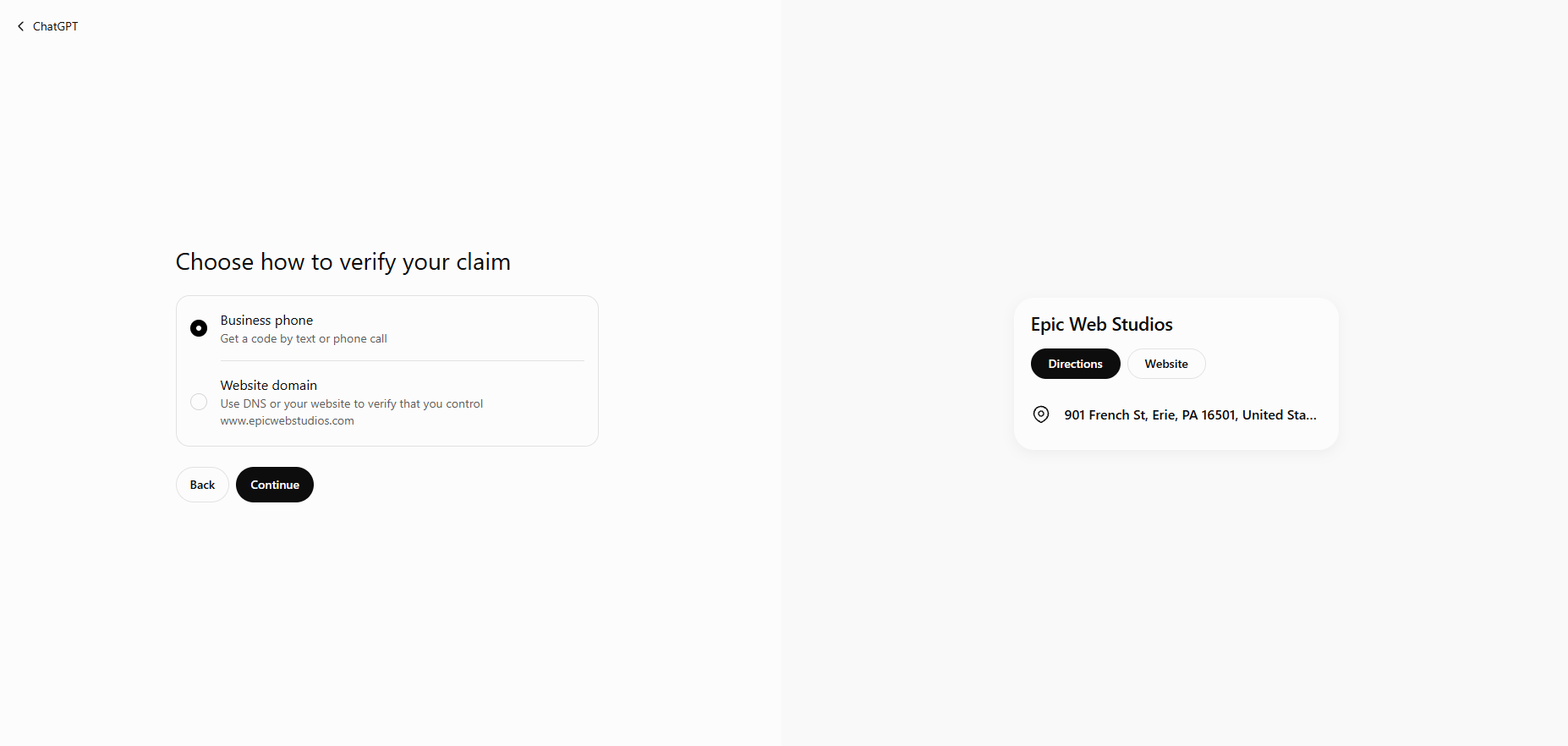
Depending on your business and the verification options available, you may be able to verify your association with the business through:
- Business phone: Receive a verification code through an SMS message or automated phone call to your business number.
- Business email: Receive a verification code at an email address associated with your business.
- Website domain: Add a TXT record provided by OpenAI to your website's domain name system (DNS) settings.
- Shopify store: Connect your Shopify account to verify your business.
For businesses that operate primarily online, website domain verification appears to be the preferred option, so make sure you have ready access to your website's DNS settings before you try to claim your business in ChatGPT if this applies to you.
4. Wait for OpenAI to approve your claim request
After submitting your ChatGPT business verification information, OpenAI will review your claim and email you with its decision or request additional information.
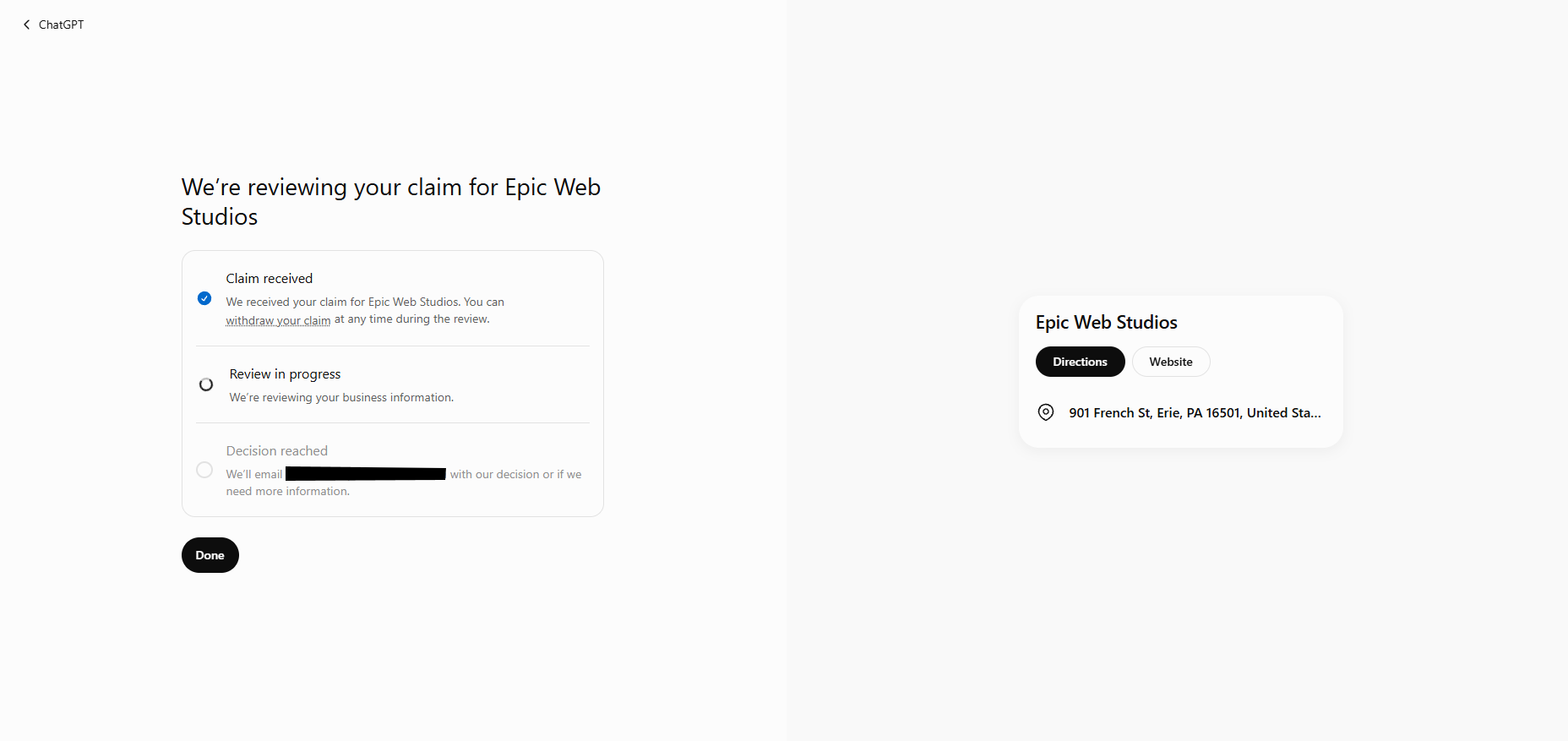
Once your claim is approved, you'll gain access to your business through Business Hub.
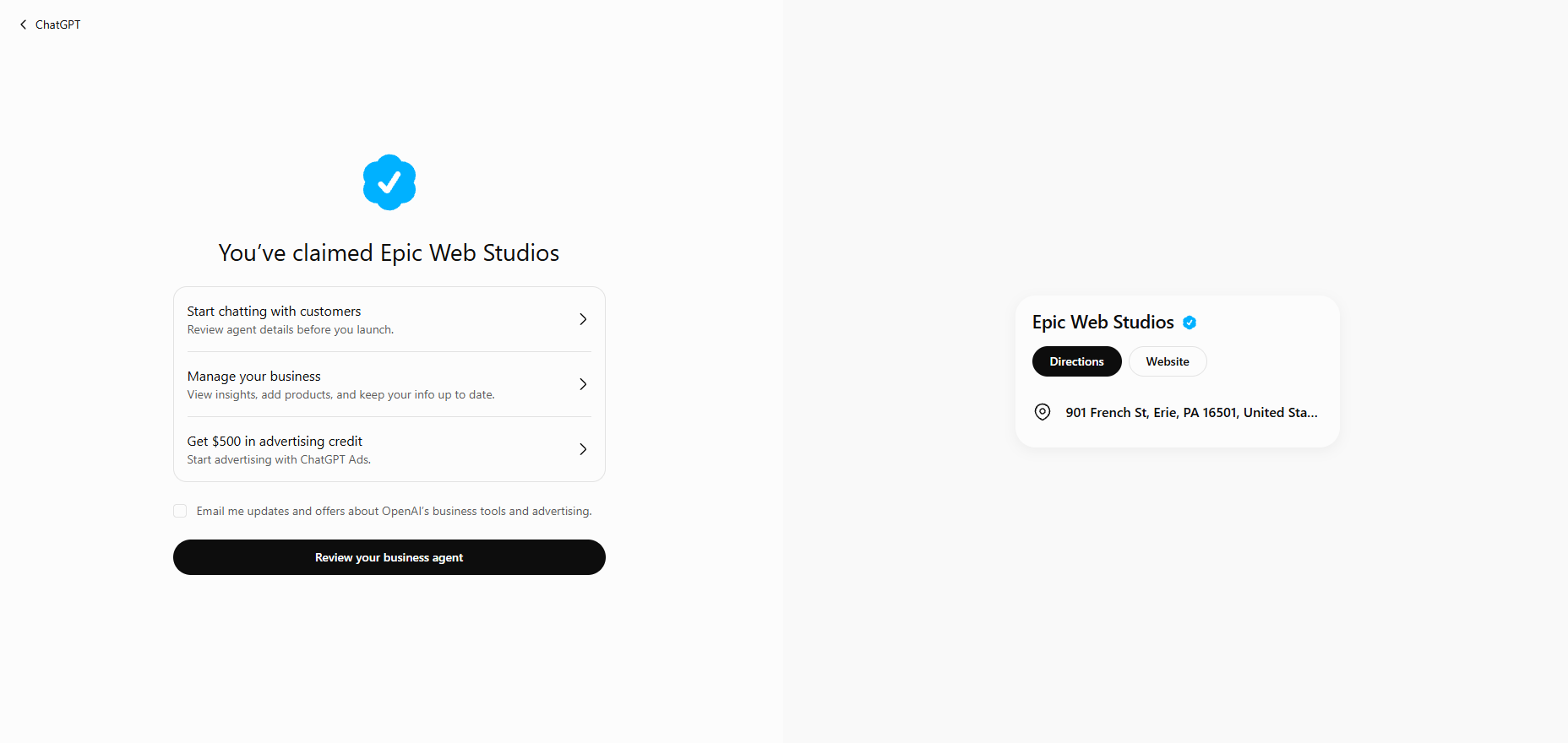
5. Complete identity verification and update your business information
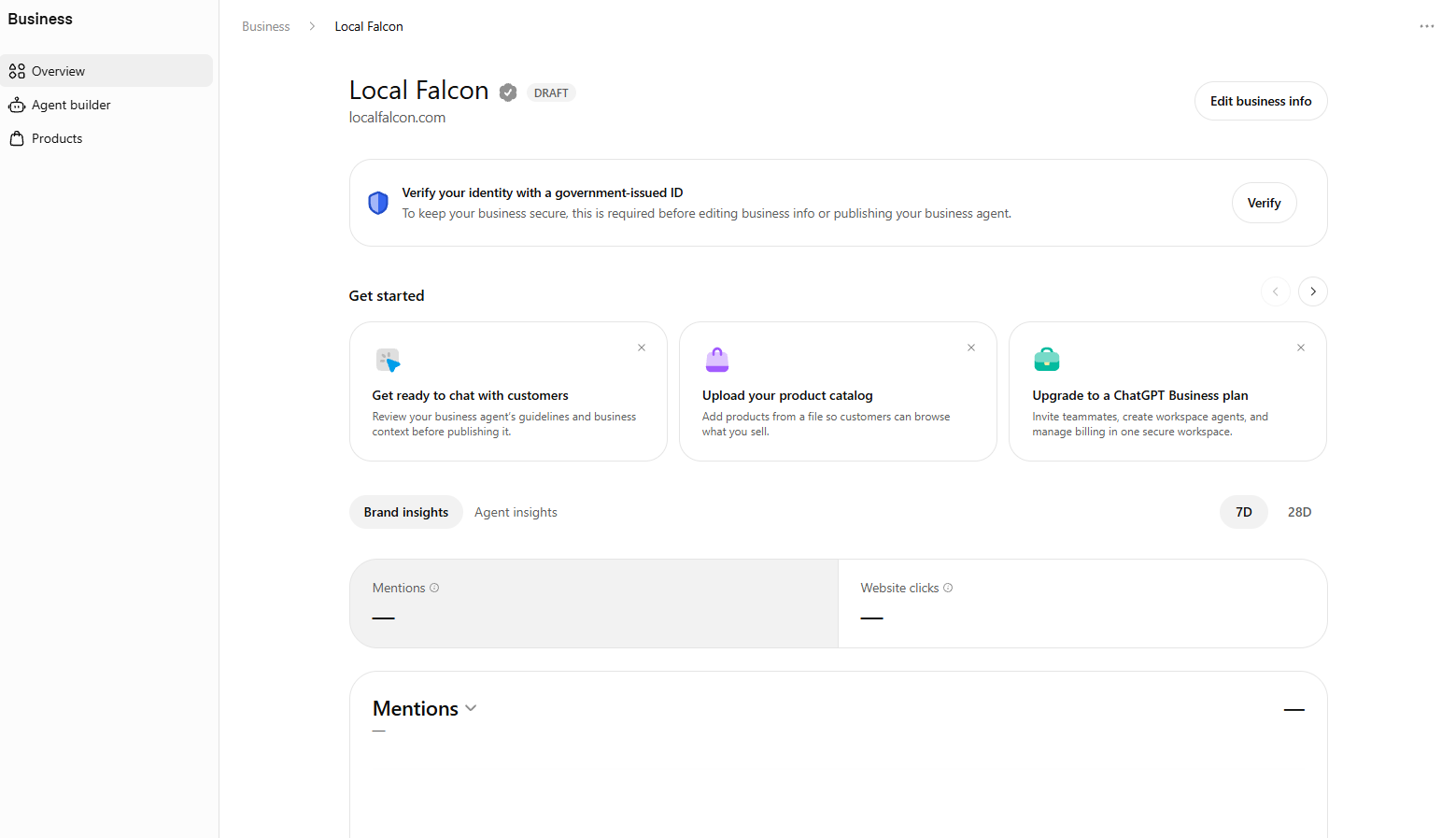
After you initially claim your business in ChatGPT, there's one additional identity verification step before you can fully manage your profile.
OpenAI requires business owners and authorized representatives to complete this ID verification process through Persona.
Once that final ID verification is approved, your profile will be marked with a verified badge and you'll be able to publish changes to your business information and create a Business Agent if your business is eligible.
Final Thoughts
It's still early days for Businesses in ChatGPT, and there are undoubtedly more features and capabilities to come.
The ability to claim a business in ChatGPT, update its information, and access insights into how people discover it is already a meaningful development in terms of ChatGPT becoming more of a local search and agentic commerce platform.
The addition of product feeds and Business Agents also supports the idea that OpenAI is thinking beyond simply helping people find businesses. It's working toward making ChatGPT a platform where people can complete the entire buyer journey, including researching options, comparing products or services, and interacting directly with the companies they might want to buy from.
OpenAI's own closing statement in its announcement probably sums up its intentions best:
"As the platform evolves, we'll explore more ways for businesses to connect with customers—directly or through agents—in ChatGPT and beyond. Our goal is to make ChatGPT more useful for people making decisions, and give businesses new ways to participate and grow."
For now, if your business is eligible, claiming your business in ChatGPT is a worthwhile first step toward better managing your presence in ChatGPT.
Businesses in ChatGPT: FAQs
How does claiming a business in ChatGPT work?
Businesses can claim an existing listing or, if eligible, add a new one through ChatGPT's Business Hub. The process involves verifying your association with the business through an available method, such as a business phone number or website domain, as well as additional ID verification via Persona. Once verified, you can manage your business information and access available insights and features.
Does claiming your business on ChatGPT improve its visibility?
Claiming a business does not guarantee higher placement in ChatGPT responses or increased sales. However, it gives eligible businesses an opportunity to provide accurate information that ChatGPT may use when answering questions about their products and services.
What information can you update after claiming your business on ChatGPT?
Verified businesses can manage key information such as their business name, address, phone number, website, operating hours, and other profile details. Eligible retailers can also submit product feeds containing up-to-date product information, pricing, and availability.
Can teammates or an agency manage my business on ChatGPT?
Yes. The business administrator can invite teammates or grant an agency access to manage the business through Business Hub. Each person must use their own ChatGPT account, and access requirements may depend on the account used to claim the business.
Can you see how often your business appears in ChatGPT via Business Hub?
Yes. Business Hub provides access to aggregated insights into how people discover and engage with your business through ChatGPT. Available metrics include business mentions (only if the website is cited), website clicks, and topics associated with conversations in which your website is cited.