
Checking your local rankings and AI search visibility and working through strategies and optimizations usually means a few tabs, a login or two, and some jumping between screens and tools to turn data into next steps. Local Falcon's native ChatGPT plugin cuts most of that out.
Once you connect Local Falcon to ChatGPT, your local and AI search visibility data lives inside the same conversation where you're already asking questions, strategizing, and streamlining workflows.
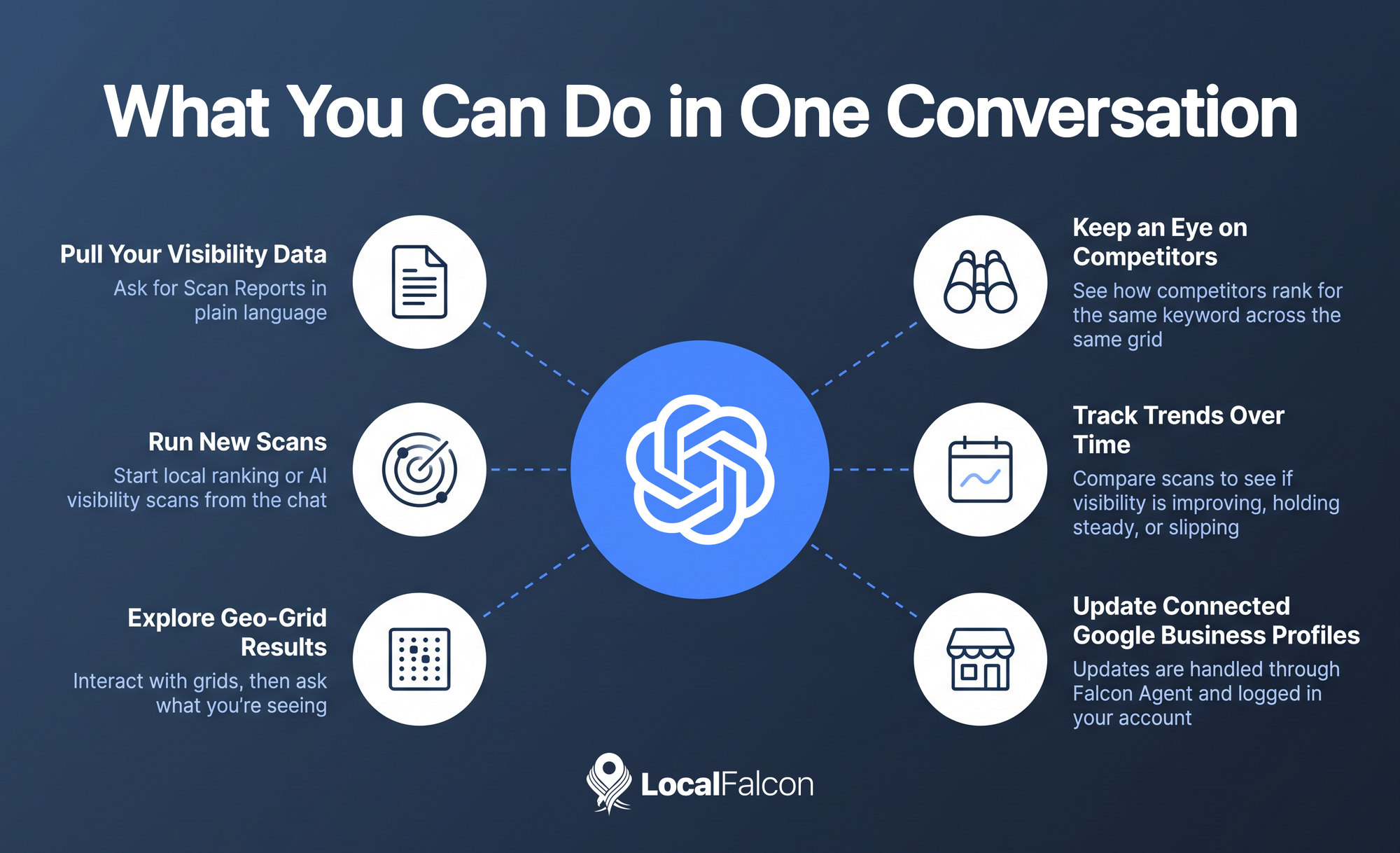
Why Connect Local Falcon to ChatGPT? What You Can Do in One Conversation
Your Visibility Data, Without the Tab Switching
The most immediate benefit of using Local Falcon's ChatGPT plugin is convenience. Instead of logging into Local Falcon and ChatGPT separately to check reports and talk through next steps, you can ask ChatGPT to do pretty much anything you can do in Local Falcon in plain language and keep going from there. That's incredibly time-saving, especially when you're juggling several locations or clients.
For example, you might prompt ChatGPT with something like, "pull my latest Scan Reports for all of [client's] locations from Local Falcon." ChatGPT will summarize all the visibility data and even suggest next steps for further analysis or optimization.
Run New Scans From the Chat
You can start new local ranking or AI search visibility scans straight from ChatGPT. If a client mentions a ranking drop in the middle of a call, or you want to test a new keyword before a strategy meeting, you can kick off the scan right where you're already working.
The same goes for campaigns. The plugin lets you set up new campaigns or edit existing ones, which makes ongoing tracking easier to manage without manually going through settings pages.
Explore Geo-Grid Results Right in the Chat
Local Falcon's Scan Reports include interactive geo-grid results that show how visible a business is and which competitors appear across a specific area the business serves.
With the Local Falcon ChatGPT plugin, you can explore and interact with those local ranking or AI visibility grids inside ChatGPT, then ask questions about what you're seeing.
For instance, if you see a location is performing well in the northeast of the geo-grid heatmap, but poorly in the southeast, you can ask ChatGPT something like, "what could I do to improve visibility in the southeast?" or "which competitors are outranking us in the southeast?" ChatGPT will come back with a detailed action plan for next steps to improve your local rankings or AI search visibility.
Keep an Eye on Competitors and Opportunities
Knowing your own rankings only gets you so far. The ChatGPT Local Falcon plugin also lets you review how competitors rank for the same keyword across the same grid, which is often where the most useful insight sits.
If one or two competitors consistently outrank you in one part of your market, and they have more Google Business Profile reviews than you, that's a clear place to focus your efforts. Asking ChatGPT to surface those opportunities turns scan data into a list of priorities, which is much easier to act on.
Track Trends Over Time
A single scan is a snapshot. The real value of local and AI search visibility tracking comes from comparing scan results over time, so you can see whether your visibility is improving, holding steady, or slipping.
You can use the Local Falcon ChatGPT plugin to compare results across scans and see how your visibility is trending, check Competitor, Trend, Campaign, or Reviews Analysis Reports, and ask follow-up questions about what the data shows.
That makes monthly reporting less of a chore, and it helps you spot a problem early instead of discovering it after a client does.
Update Connected Google Business Profiles
Once you've found something worth fixing on one or more Google Business Profiles you manage, the plugin lets you update your connected Google Business Profiles from the same place.
You can go from reviewing your rankings to acting on them without leaving the conversation, which closes the gap between spotting an issue and doing something about it.
These listing updates are handled through Falcon Agent, and all changes are logged in your Local Falcon account.
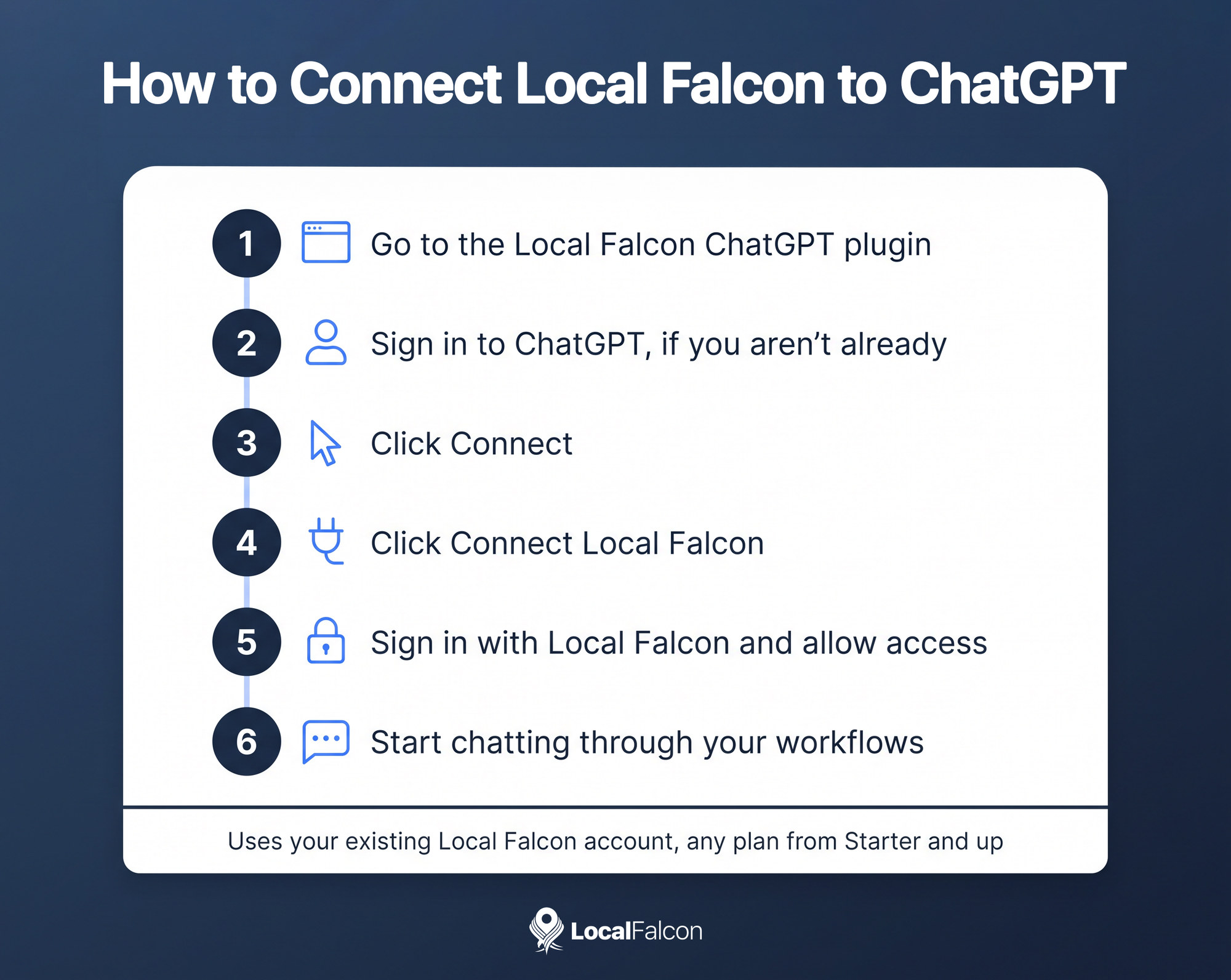
Connecting Local Falcon to ChatGPT
If you'd like to try it, the process is quick:
- Go to the Local Falcon ChatGPT plugin
- Sign in to your ChatGPT account, if you aren't already logged in
- Click the Connect button
- Click Connect Local Falcon
- Follow the on-screen prompts to sign in with Local Falcon and Allow access
- Start chatting through your local and AI search visibility workflows!
The plugin uses your existing Local Falcon account and is accessible to users with any Local Falcon subscription plan, from Starter and up.
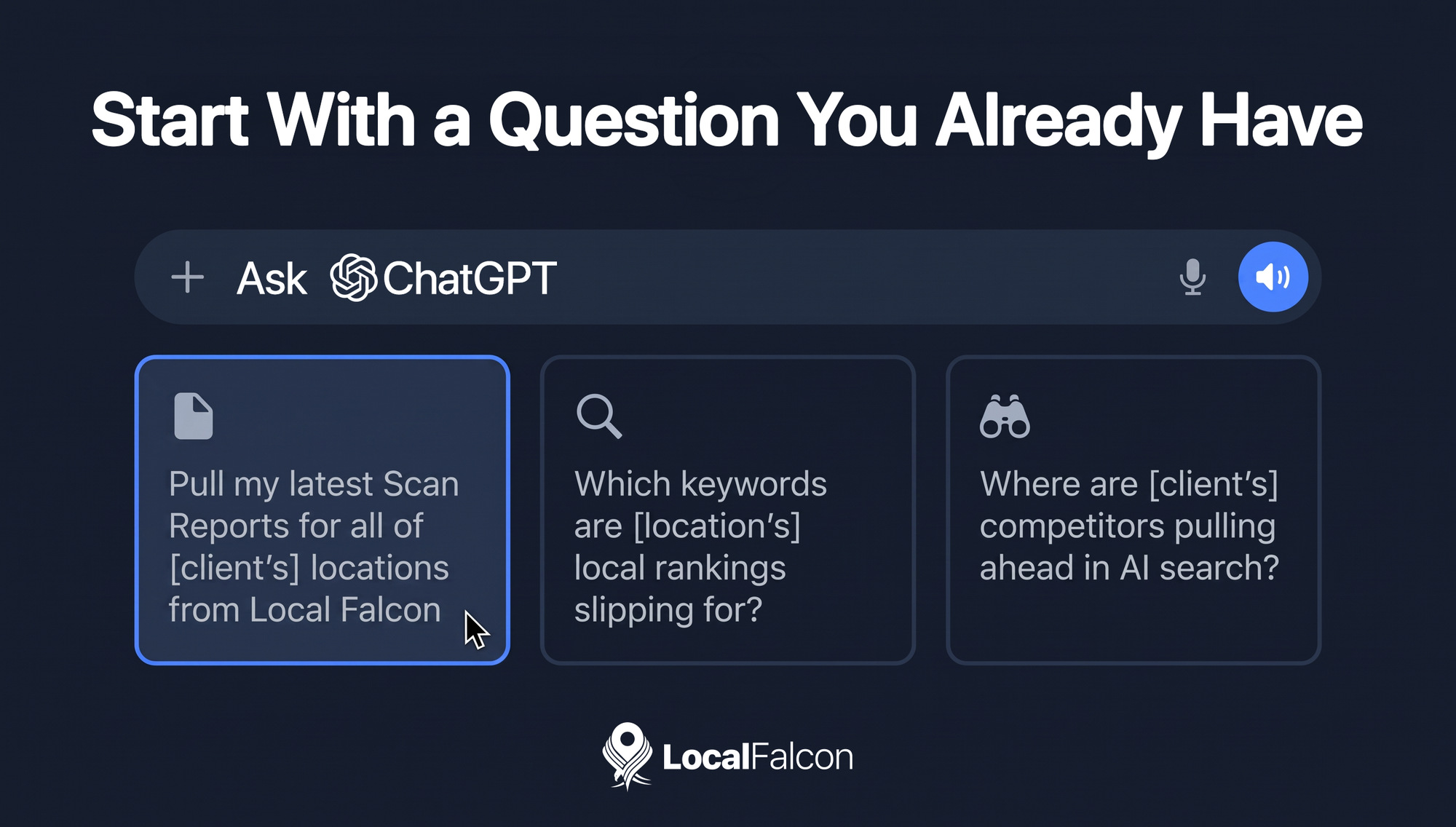
Start With a Question You Already Have
Keep in mind that the examples above are a starting point, not a full list of everything you can do with Local Falcon's ChatGPT plugin. Most of what you can do in Local Falcon, you can do through ChatGPT, using natural-language prompts and conversational workflows.
A good first step is to pick a question you'd normally answer by digging through reports, such as "which keywords are [location's] local rankings slipping for?" or "where are [client's] competitors pulling ahead in AI search?," and ask it in the chat. Keep the conversation going to plan and carry out next steps. You'll quickly get a feel for how much time the plugin can save.